
Language variants
If you have content available in multiple languages, you can manage them in two ways:
Option 1: Upload separately
- Upload each language version as an individual content item.
- Select the correct variant manually for each customer (e.g., one template per language).
- More control over which version is shared.
Option 2: Use language variants
- Upload the different language versions as variants of the same content item.
- emlen will automatically display the correct language based on the viewer’s browser settings.
- More efficient in most cases.
Adding language variants (option 2)
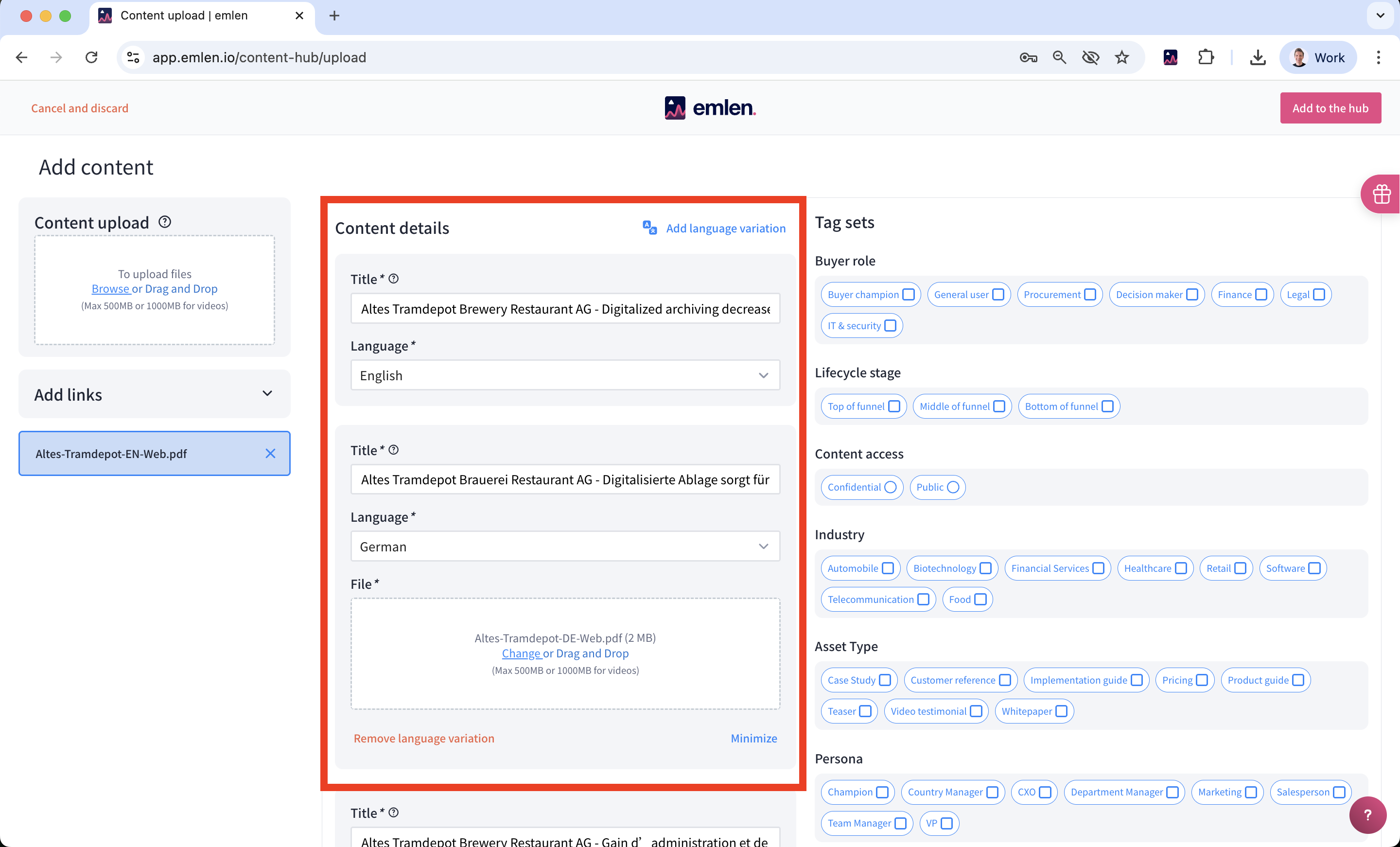
- Start by uploading the main language variant (in most cases English)
- Add further language variants by clicking on "Add language variant"
- The English version acts as your fallback: If the browser language can’t be detected or isn’t available, this fallback version will be shown. If no English version is uploaded, then the first (main) language variant is used as a fallback option.
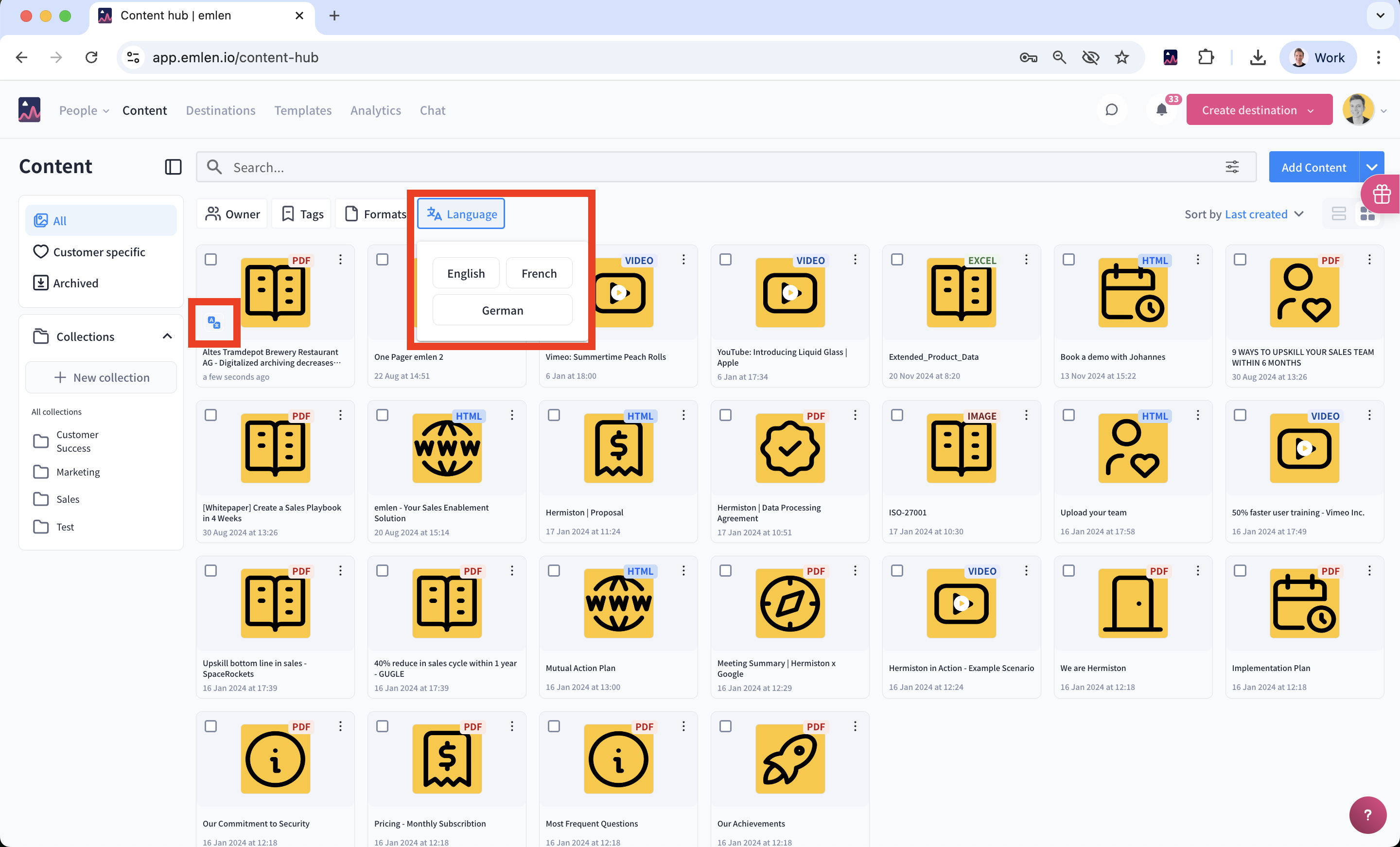
In the content hub, items with language variants can be identified using filters or by the icon displayed next to the thumbnail.
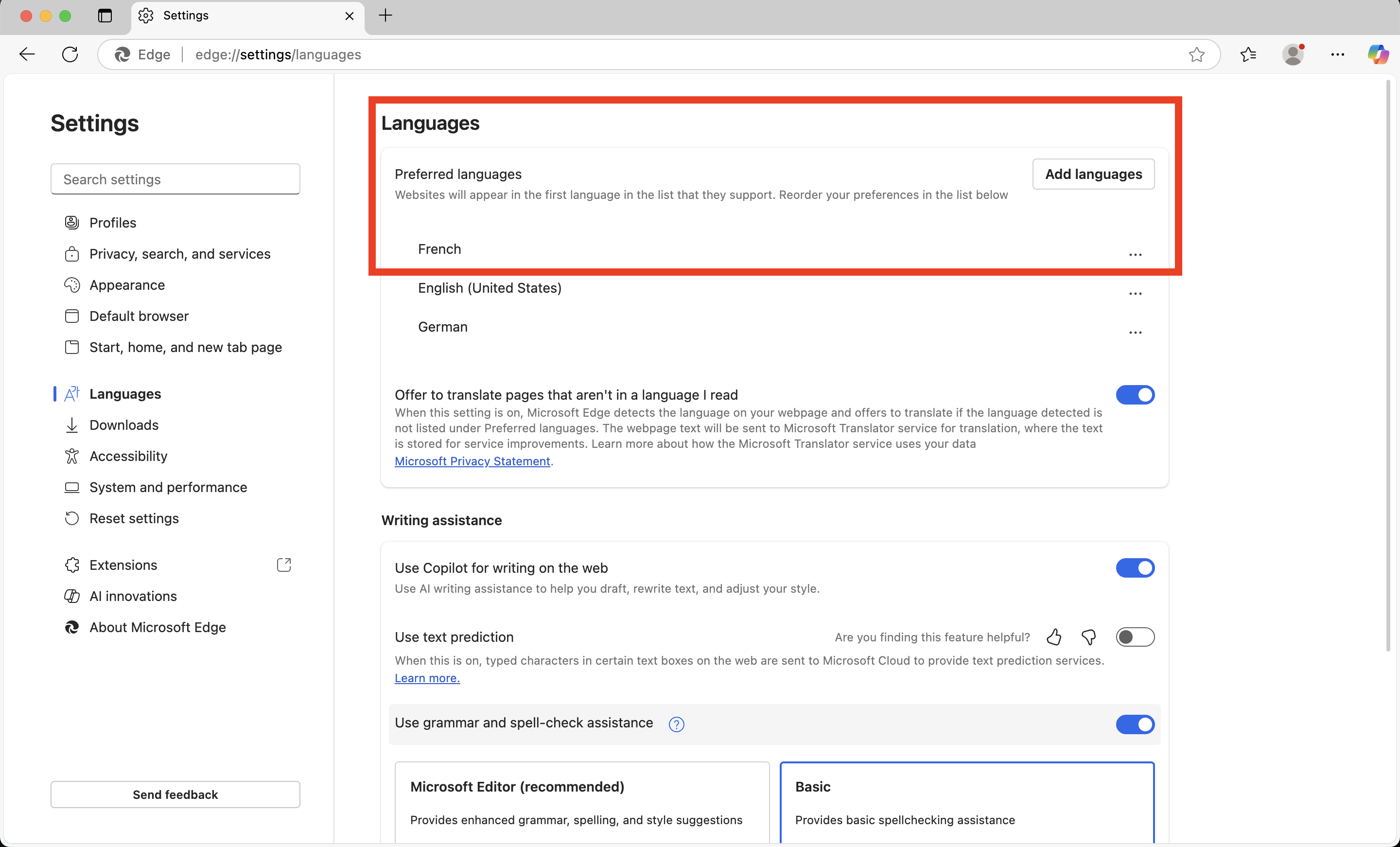
You can easily test this by changing your browser language to another language.
Then open a Destination that contains items with language variants.
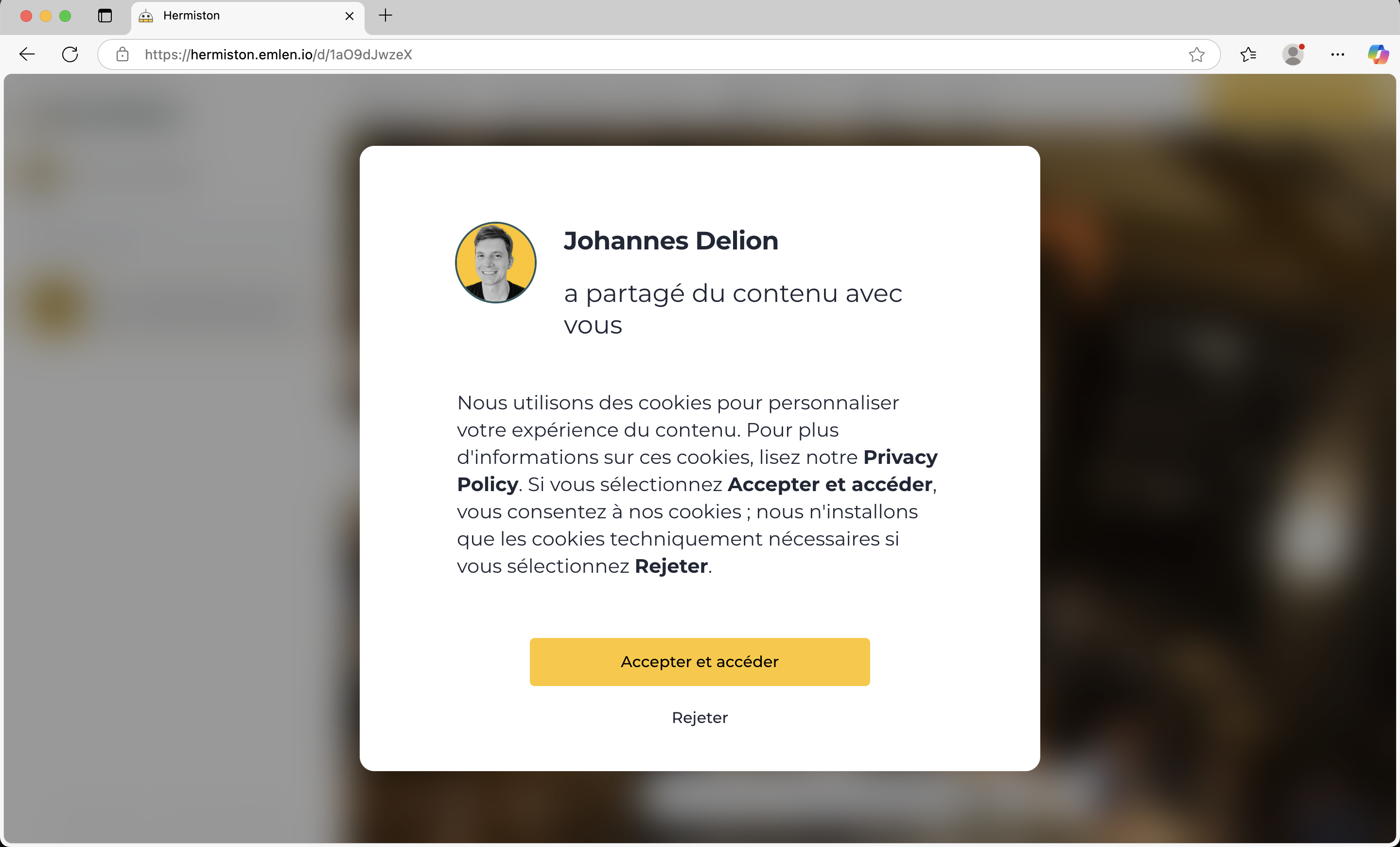
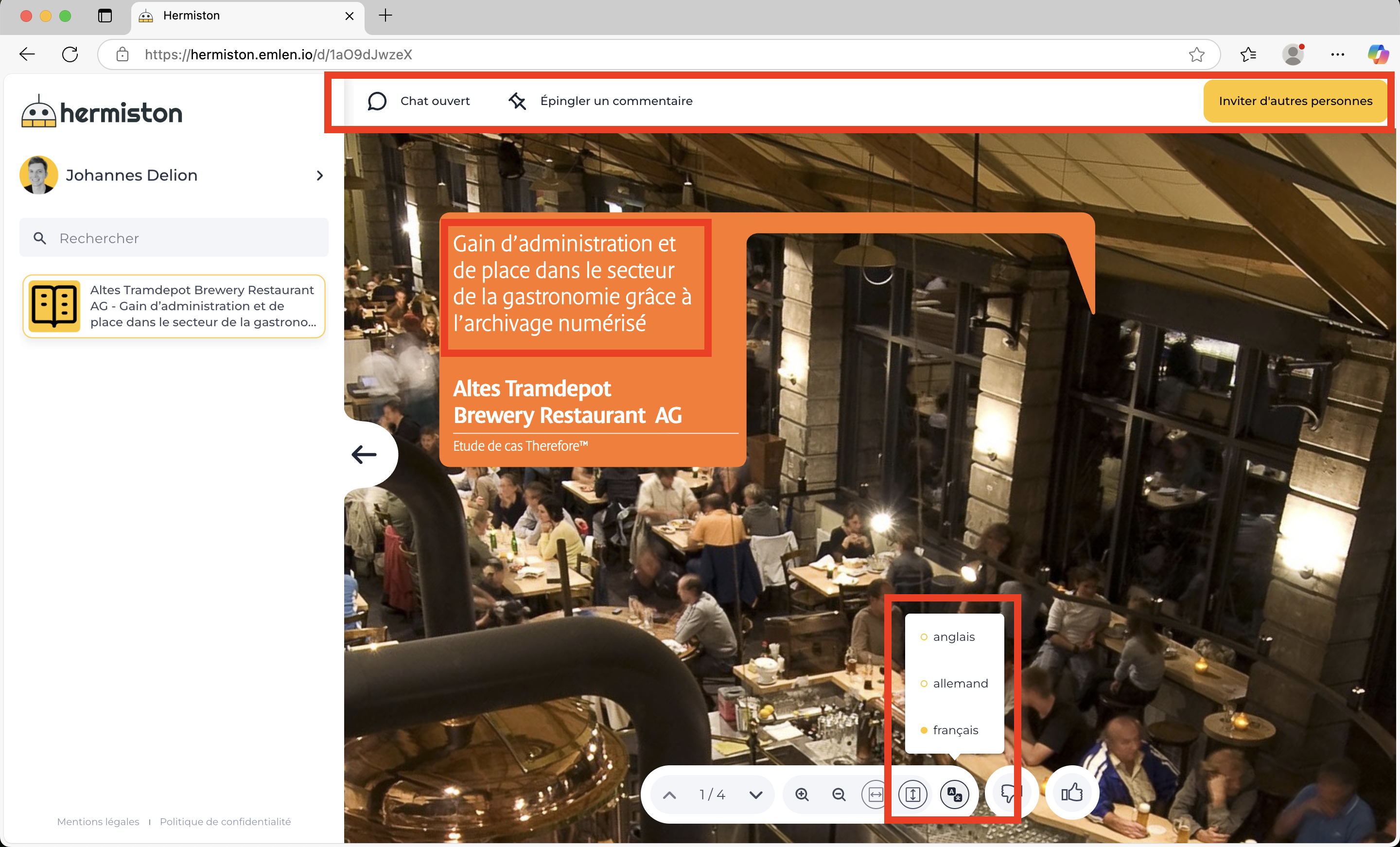
Example Destination: https://hermiston.emlen.io/d/1aO9dJwzeX
Language variants of standard elements in the Destination
In addition to content assets, standard text elements within a Destination are also available in multiple languages. These include, for example:
- Cookie disclaimer
- Email verification window
- Open chat
- Pin a comment
- Content / search box
- etc.
Currently supported languages for standard text elements:
- German
- English
- Spanish
- French
- Italian
- Portuguese